> For the complete documentation index, see [llms.txt](https://docs.skovik.com/llms.txt). Markdown versions of documentation pages are available by appending `.md` to page URLs; this page is available as [Markdown](https://docs.skovik.com/for-employees/multiple-mileages.md).
# Multiple mileages
For quicker registration of multiple mileages on the same route, you can either register multiple dates or copy information from previously registered mileage.
### Multiple dates
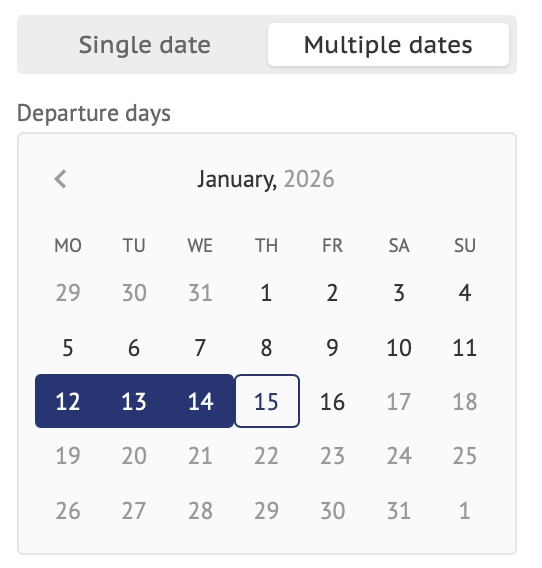
If you have driven the same route on several days, go to the **Multiple dates** tab instead of Single date when registering mileage. There, you can choose several dates from the calendar:
Each selected date will create a separate mileage in your outbox.
{% hint style="info" %}
Please note: This feature is only available on the webpage and not in the mobile app.
{% endhint %}
### Prefill from recent
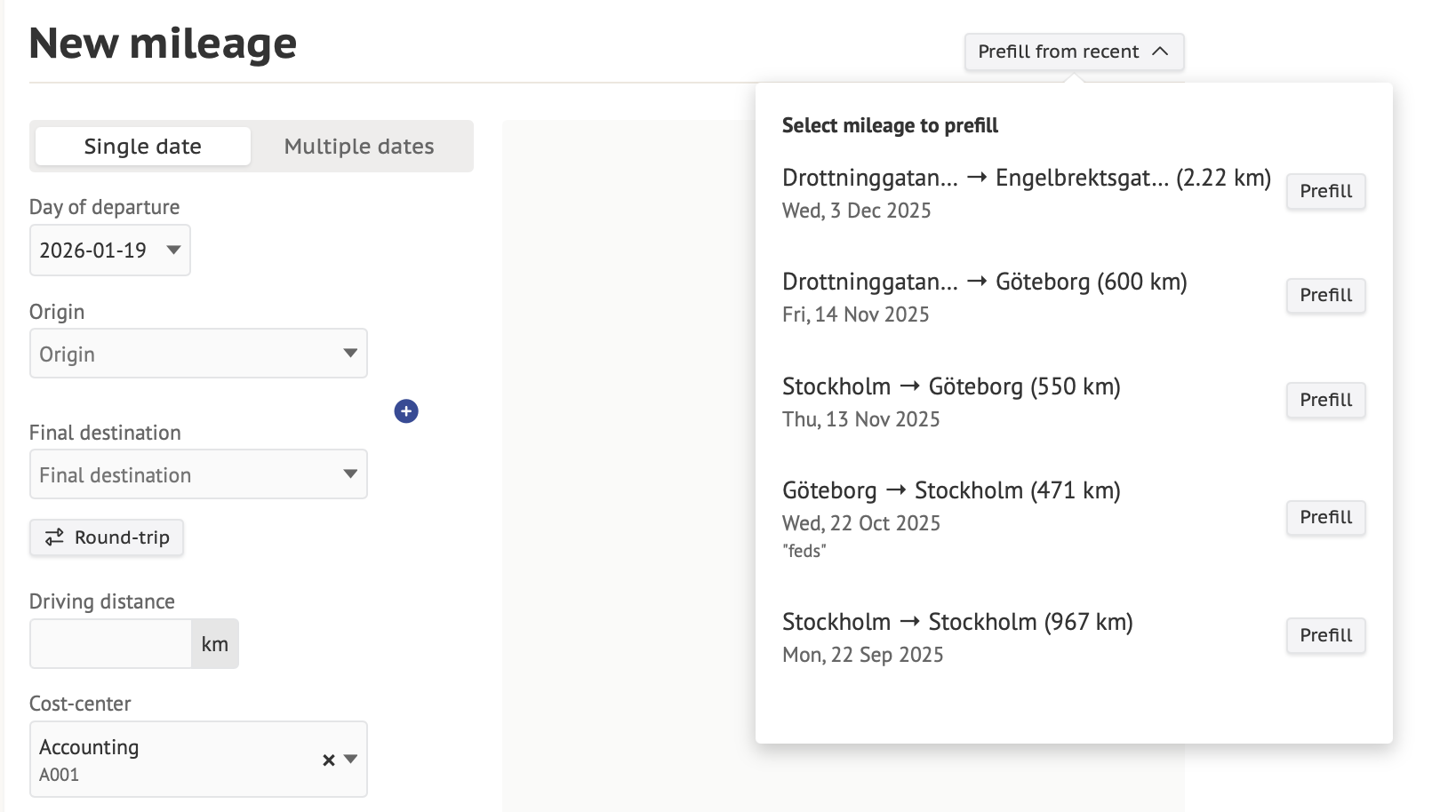
If you have driven the same route as recently registered, you can use **Prefill from recent** option.
There you can choose one from the last 5 mileages you have registered:
Click "Prefill" for the chosen mileage and Skovik will fill in the details.